Meridian Sim Ops
Meridian crest

Two and a half years in the making. The beta is finally here.

Windows program · flight sim

MeridianSim Ops

A map on your PC. Live airplanes, VATSIM and IVAO, weather you can turn on, and your own airplane from the sim — followed on the map the whole time, not just at the airport. Look up a flight, watch the field, or file a crossing. This page is the download.

Version 0.1.24-beta · free while we’re testing

Meridian with North Atlantic tracks and occupancy
Live traffic, the networks, weather, your airplane — one Windows window.
The airportSatellite close enough to see the paint
Your airplaneFollowed from the sim, wherever you are
TrafficLive, VATSIM, IVAO — independently
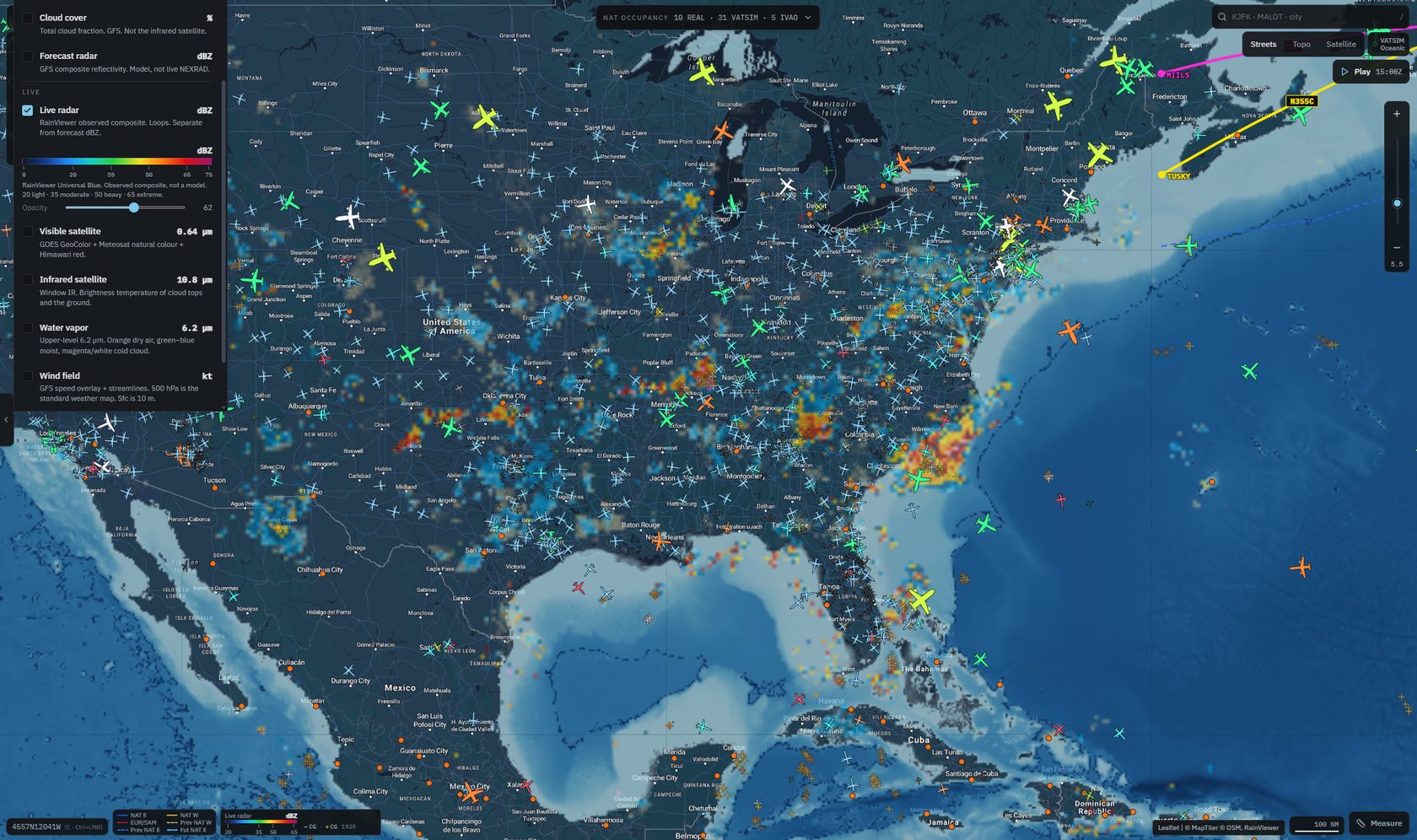
WeatherRadar, satellite, wind — on the same map

What you actually get

A desk, not another map site.

Airport
Live radar
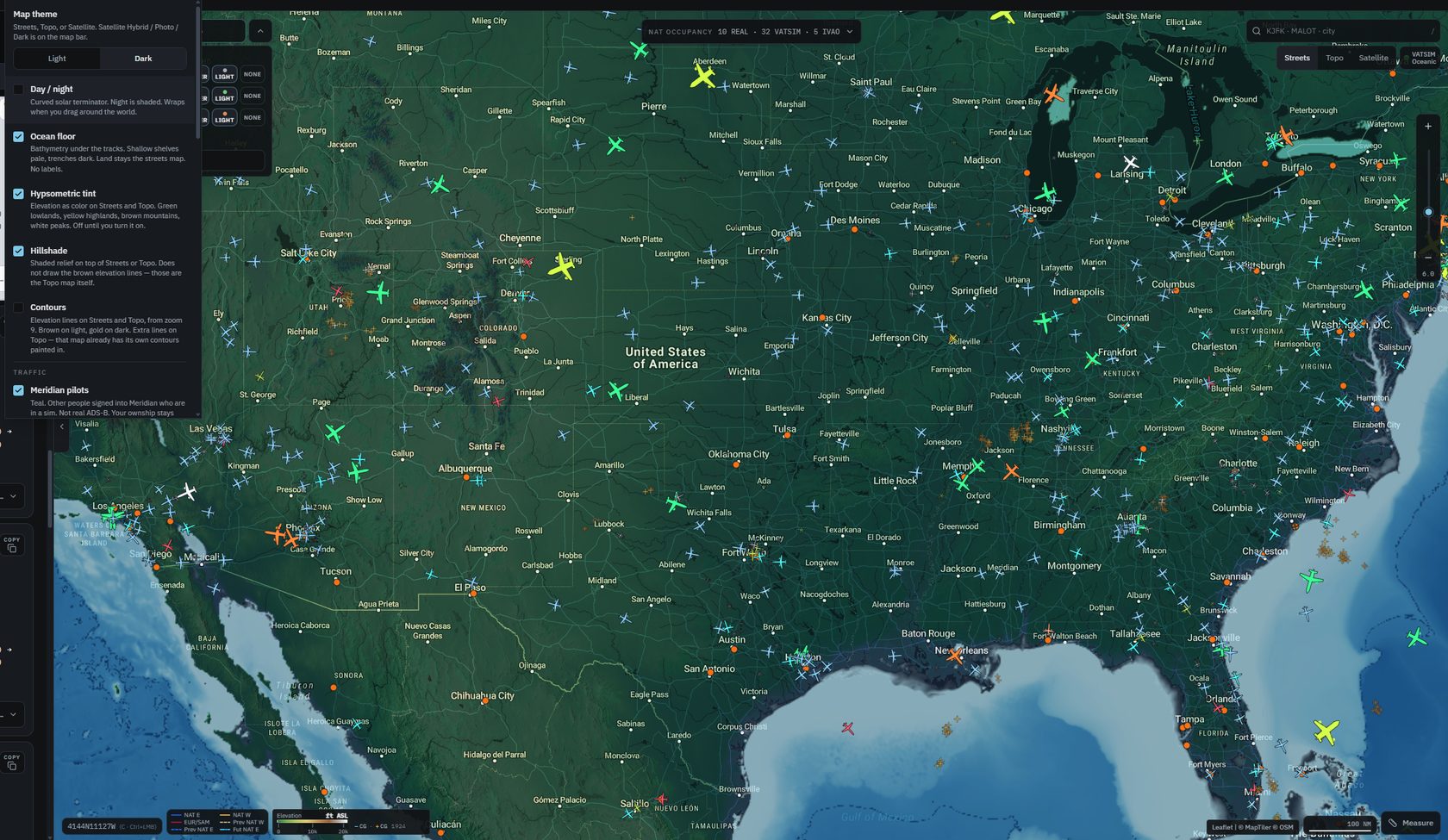
Elevation tint
Heathrow satellite with live and network traffic

A night on the desk · 1

See your own airplane taxiing. With everyone else.

Zoom Heathrow until the stands are sharp. Live airframes at the gates. VATSIM green and IVAO orange on the same taxiways. If MSFS, X-Plane, or Prepar3D is running, that’s you — not a blue triangle on a blank map.

  • Live, VATSIM, and IVAO on or off independently
  • Heavy through light per feed so the field stays readable
  • Your airplane stays up through pause. Only the main menu ends it
Satellite over the city with occupancy and an imported flight

A night on the desk · 2

Streets or satellite. Same desk.

Light or dark streets. Satellite when you want the pavement. Occupancy is still who is on the track tonight, by name. The plan you imported stays loaded while you taxi.

  • Satellite for the close-in view
  • Live / VATSIM / IVAO counts sit on the occupancy strip
  • Zooming the field does not dump the route
South Atlantic tracks over the ocean

South Atlantic

The corridor to South America. Published, not sketched.

The same rail as the North Atlantic. Click a route, copy the waypoint string, see who’s already on it. Levels and valid times are on the strip.

  • Both directions when the product publishes them
  • All systems at once, or this ocean alone
  • Last night’s set is dashed. The next set is dash-dot
Pacific organised tracks with traffic

Pacific

The Pacific is not an afterthought.

NOPAC composites and PACOTS when they publish. West Atlantic L-routes too. Numbered routes in the same list as the Atlantic letters. Traffic on the line.

  • Click a route: copy the string, see who’s on it
  • Previous and next sets stay visually distinct
  • One window for every ocean people actually fly
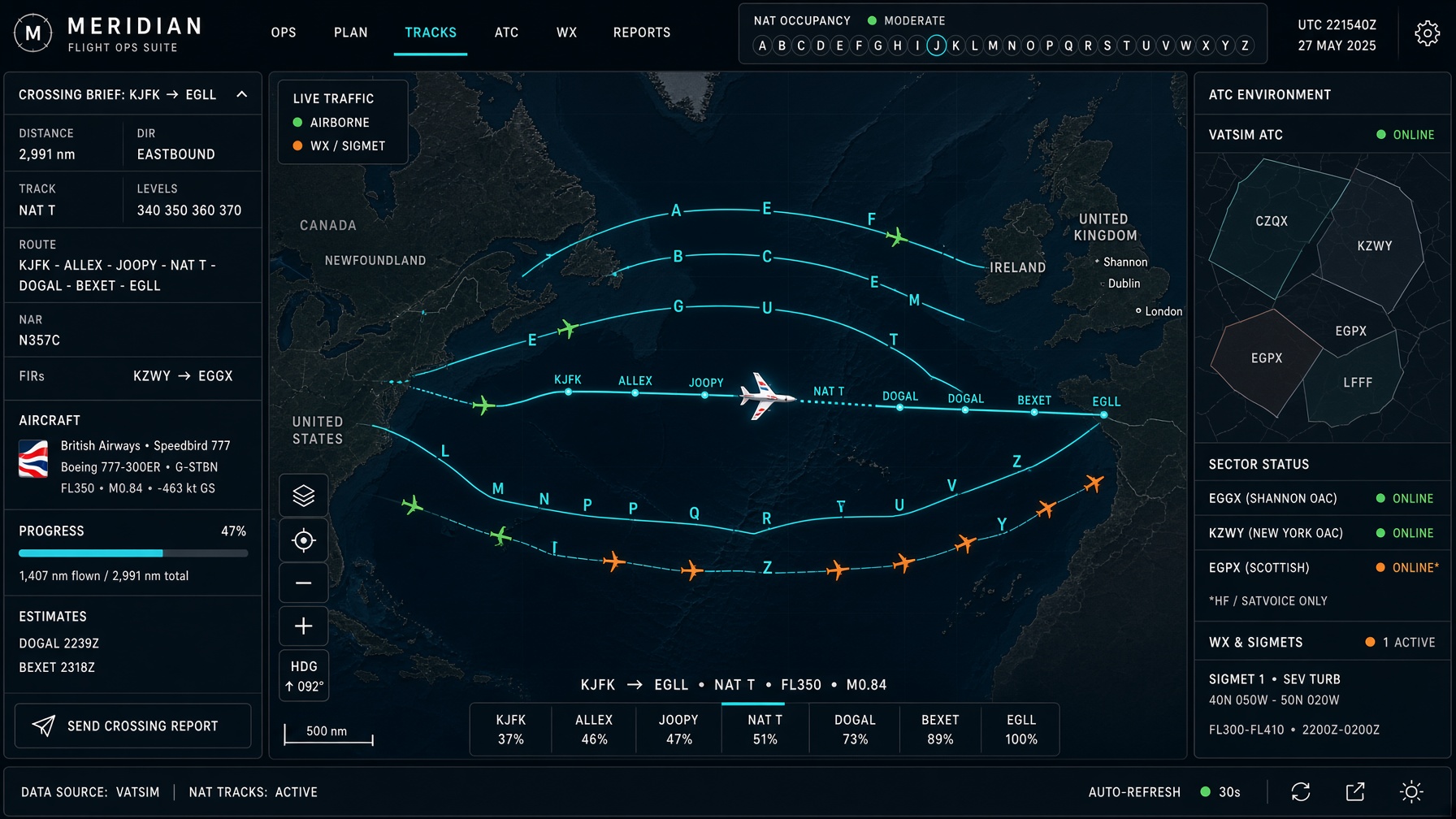
A crossing brief New York to London

A night on the desk · 3

New York to London. File it, then watch it.

Build crossing. You get the published track, the levels, the North American route into that entry, and a string you can paste into the box. Occupancy on that letter is who already went.

  • Same helper for a short hop and a 3,000 mile ocean
  • Copy into SimBrief or the sim
  • If a flight files NAT A, the line follows that track
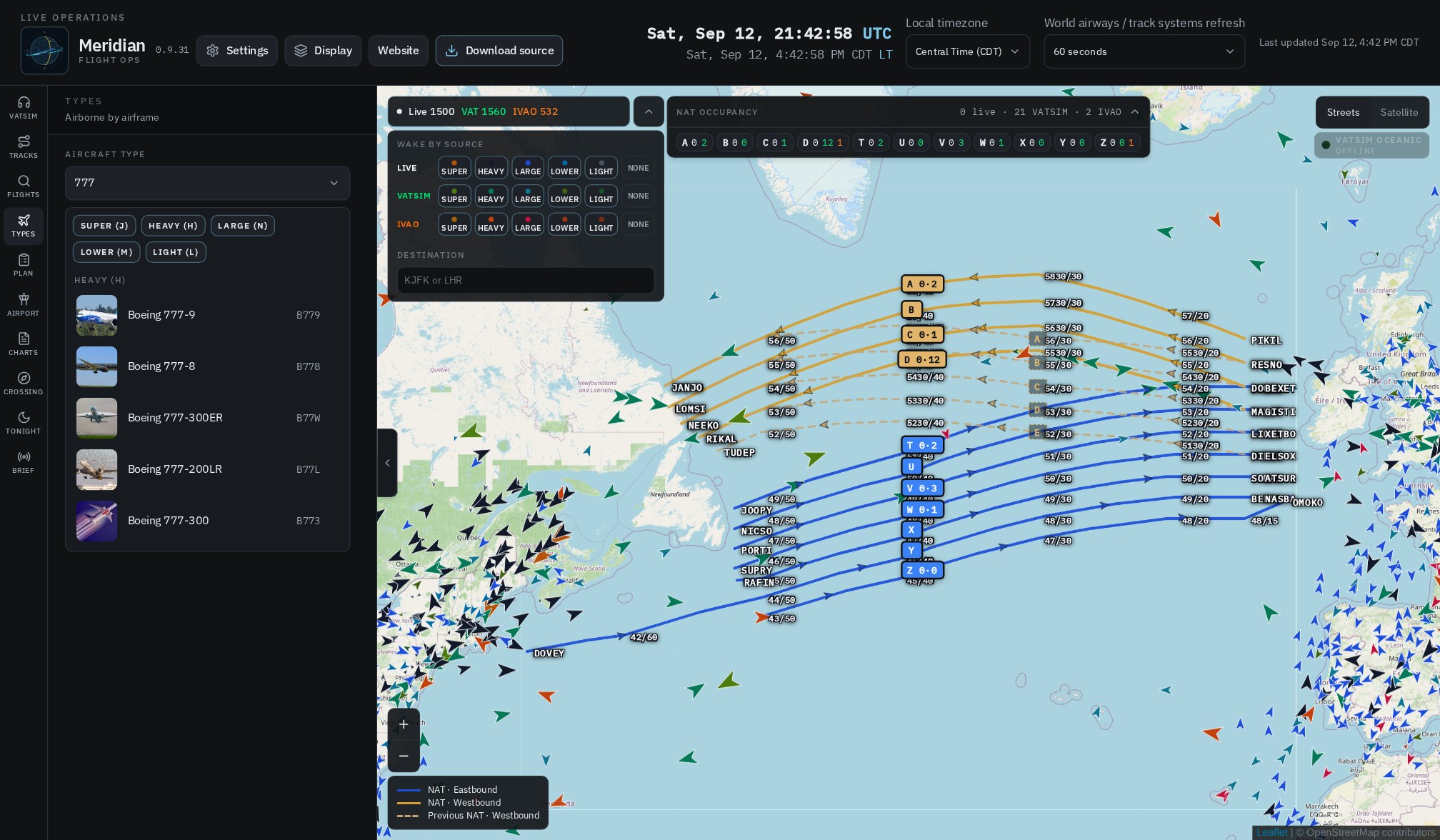
Types catalog with airframe photographs

A night on the desk · 4

Pick a type. See who is flying it.

The whole catalog — A380 down to a Cessna. Filter by size or type the name. Tap one airframe and the list is everyone airborne on it: photo, callsign, city pair.

  • Pictures in the catalog and on every airborne row
  • Type code or the marketing name — both work
  • Plotting one flight does not dump the rest of the desk
NAT occupancy: letters across the top, flights listed under a track

A night on the desk · 5

Who is on the track.

The letters across the top are the tracks. The number on each one is how many airplanes are on it right now — real world, VATSIM, and IVAO, counted separately. Click a letter and the list opens: callsign, type, the route they filed, city pair.

  • Click a letter, see the names
  • Real, VATSIM, and IVAO stay separate
  • The filed route is in the list
VATSIM airspace polygons over Europe

VATSIM airspace

Coverage you can read from altitude.

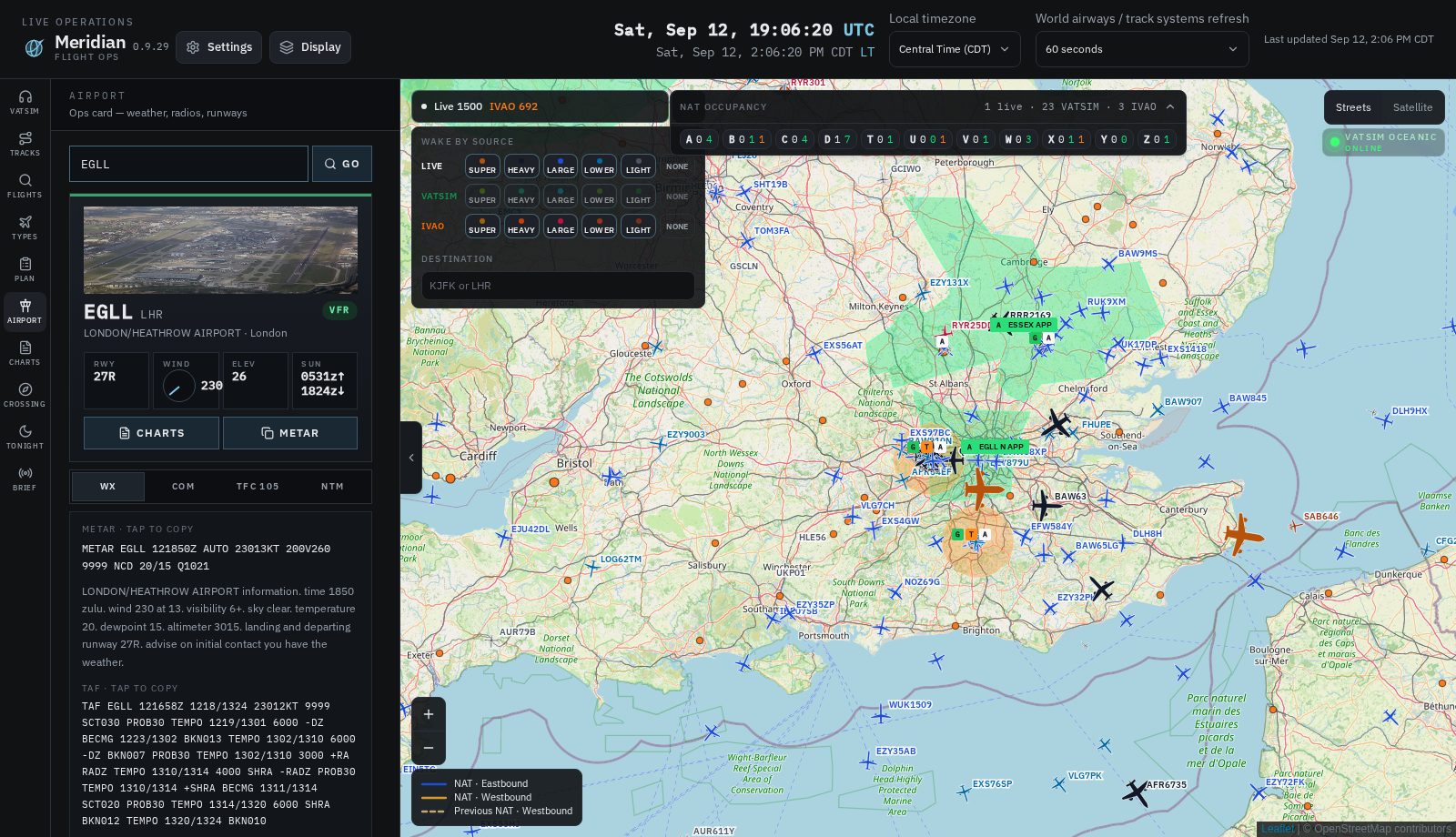
Centers and approach use published boundaries, not a spray of circles. On the airport the letters are D, G, T, A — delivery, ground, tower, ATIS. Click them. Airplanes always win the click.

  • Pick the positions you want in Display
  • Station card: controller, time up, ATIS text
  • Listen stays in the rail after you sign in with VATSIM
SID and STAR geometry on a filed route

Procedures

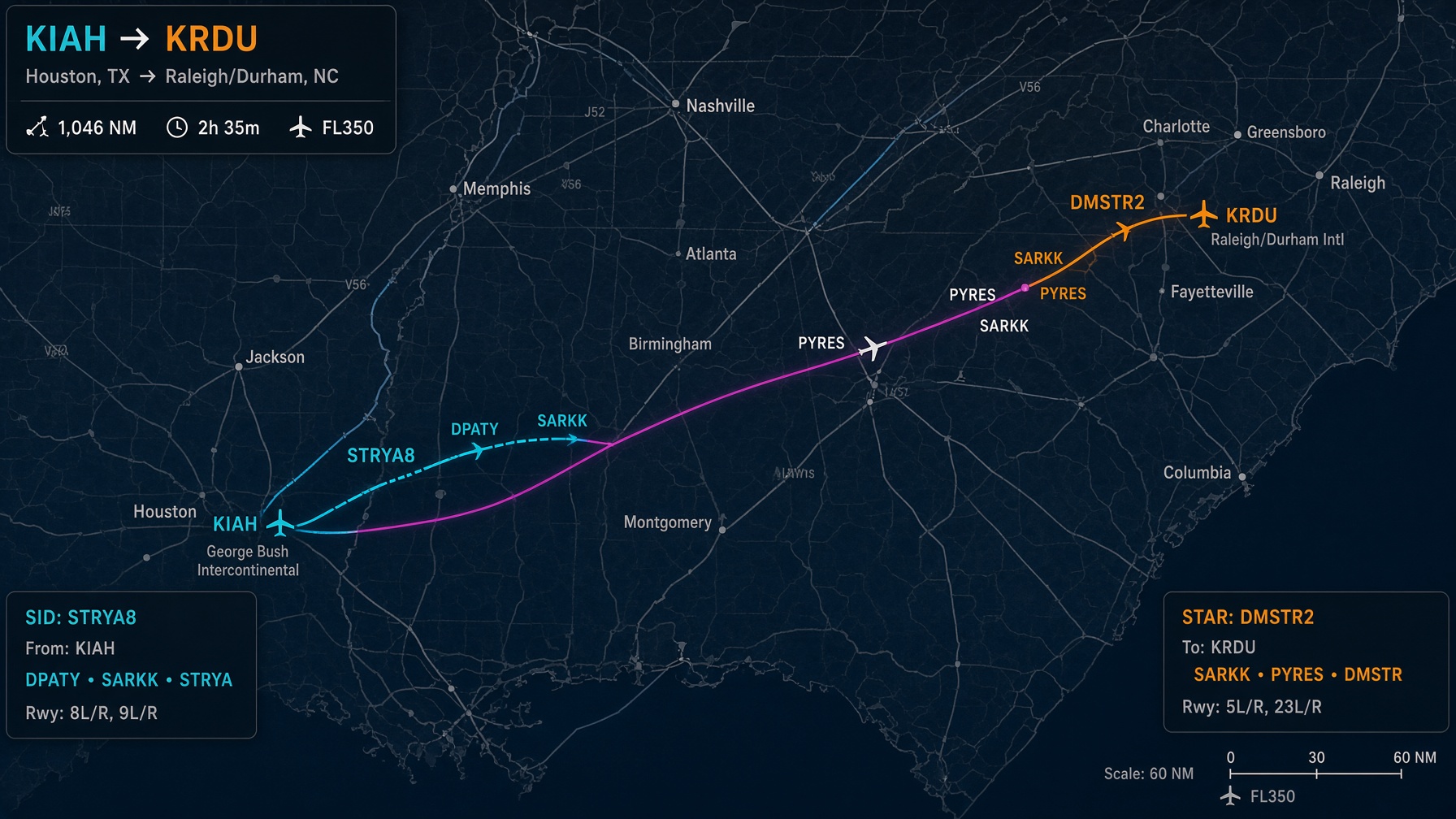
The SID as filed. Not a straight line.

Waypoints resolve along the route, not the nearest duplicate on another continent. Airways expand. A SimBrief plan or a pasted route string both decode. Magenta is the body of the flight, not a bar glued between two airports.

  • One filed transition — not every transition in the book
  • Looked-up flights and imported plans can sit together
  • Unload the import when you’re done
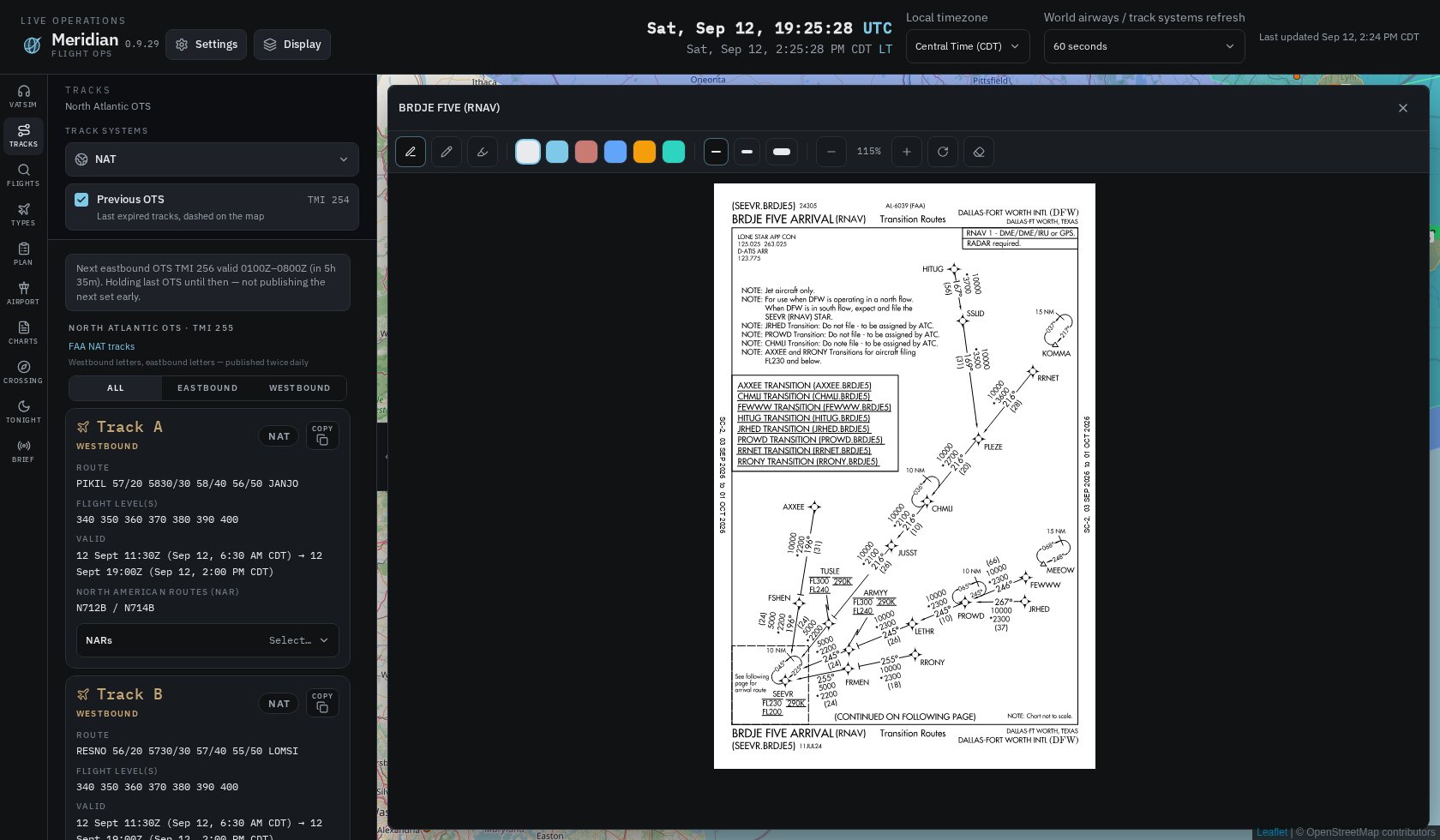
An FAA STAR plate open in Meridian

Charts

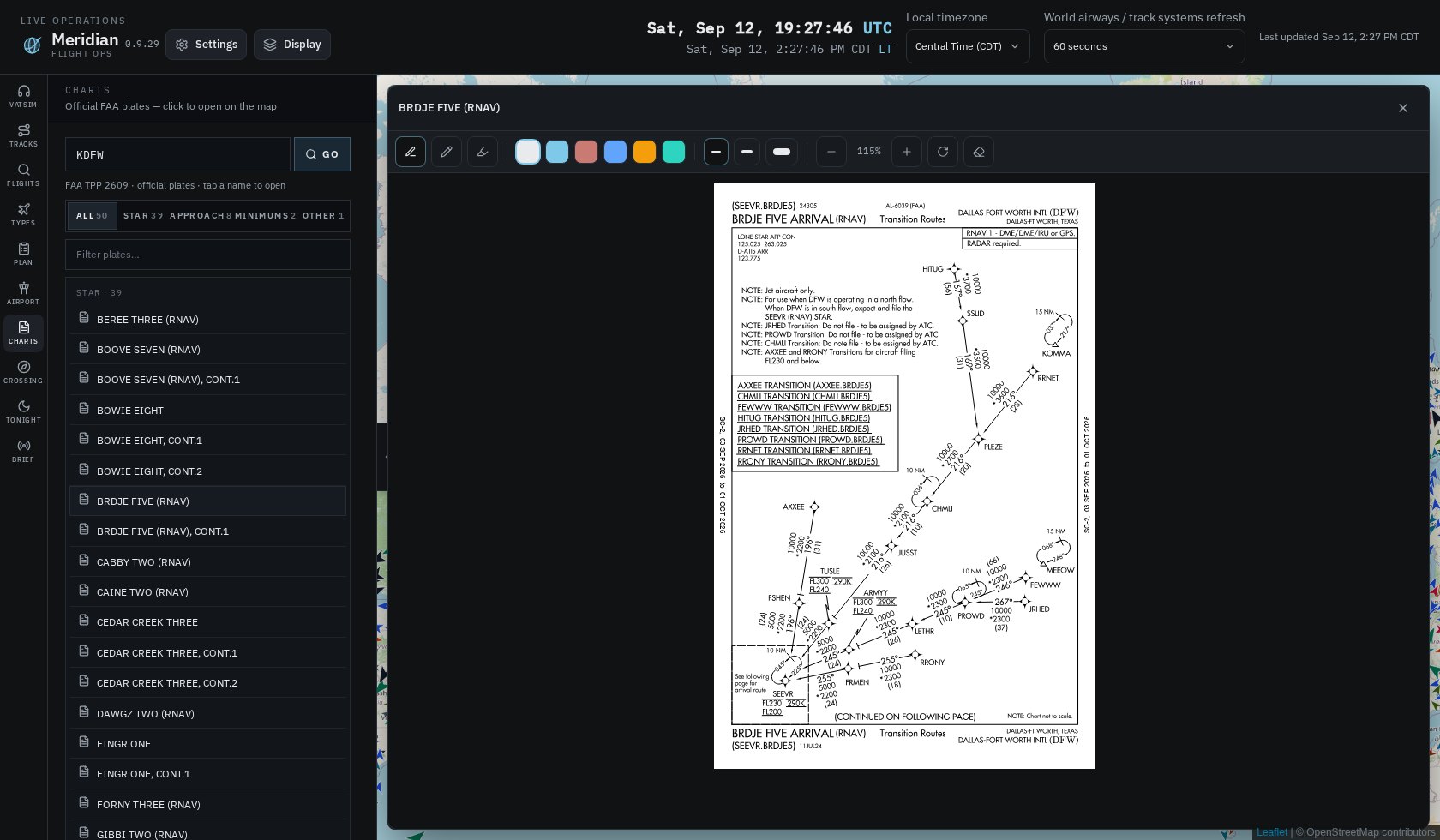
The plate, when you need the plate.

Official US FAA plates. Annotate. Close. Occupancy and the flight you were watching are still there. US only. This is not Navigraph.

  • SID, STAR, approach, taxi, minima
  • Current 28-day cycle, stamped on the plate
  • Not for navigation

In the window

What’s in 0.1.24-beta.

Tracks
North Atlantic · PACOTS · South Atlantic · NOPAC · west Atlantic L-routes · previous · next
Traffic
Live ADS-B · VATSIM · IVAO · PilotEdge · wake Super–Light
Weather
Wind · live radar · forecast radar · lightning · visible & infrared satellite · temperature · pressure · cloud cover
Terrain
Elevation tint · hillshade · contours · ocean floor
ATC
Published center / approach boundaries · D G T A on the field
Crossing
Published track + feeder route + copy
Airframes
Photo catalog · who is airborne on that type
Charts
US FAA plates, current cycle
Map
Streets or satellite · light or dark · search
Simulator
MSFS 2020 / 2024 · X-Plane 11 / 12 · Prepar3D — optional. The desk runs without a sim.

How it works

The same rules the program follows.

Short version. Running Meridian is the long version.

Get Meridian

A Windows program. Not a tab.

Download the installer. Run it. Meridian is a window on your PC. This homepage does not open the map.

v0.1.24-beta

Meridian 0.1.24-beta for Windows

Installer. Next through the options. Default folder is Program Files. When we post a newer build, Meridian offers it the next time you open the app.

Download 0.1.24-beta for Windows
  1. Download the Setup file from this page.
  2. Run it. Choose the folder, desktop shortcut, and whether it starts with Windows.
  3. Default location is C:\Program Files\Meridian.
  4. Open Meridian from the Start menu or the desktop shortcut.

FAQ

Straight answers.

No. This page is the homepage and the download. Meridian is a Windows program. There is no “open the app” link here on purpose.

An installer. Run it, click Next, it lands in Program Files. Windows 10 or 11. That’s it.

No, and we don’t claim it does. Real aircraft come from public ADS-B plus VATSIM, IVAO, and PilotEdge. Density will never match a paid tracker.

Not in this version. US FAA plates are in Charts. Chart vendors require their own login; Meridian will not collect those passwords.

Never. Sign in with VATSIM loads VATSIM’s own page in the left rail. We never see a CID or a password.

No. You can skip it. If you aren’t signed in, the sign-in box comes back the next time you open Meridian. Signed in, it stays signed in.

Yes. Crossing, Flights, Airport, and Charts work for a 40-minute sector as well as New York–London.

Yes, on the Windows program — MSFS 2020 and 2024, X-Plane 11 and 12, and Prepar3D. Settings → Simulator installs the plugin. The sim does not have to be running for the rest of the desk to work.

Yes. When you open Meridian it checks this site. If a newer version is up you get a box. Update or skip until next launch.

Free to download while we’re testing. If 1.0 is paid, the price will be on this page with that build.

On your PC only. Settings → About → Open logs folder. We do not collect them.